
WhatsApp sends over a number BeaconBox owns and every merchant on the platform shares. That is what makes it affordable: nobody has to register a number, get templates approved or hold a Meta business account.
It is also what makes the rules here stricter than SMS.
What the message says
Every WhatsApp nudge is a template Meta has approved, one for each order status, and BeaconBox writes it rather than you:
Your order #A-10294 from PhonicBloom has shipped.
Tap the button below to see the details.
Under it is an Open my inbox button and a small footer: “Replies are passed to the business. Sent via BeaconBox.” Your own subject and wording never appear in it.
So WhatsApp goes out only for an update that carries both an order number and an order status, and
only when both the order number and your business name can be shown. An update missing either is
not sent on WhatsApp and costs nothing; the email still goes, and a text can go in its place (see
below). The rules for what can be shown keep out anything a phone could turn into a link: an order
number such as #A-10294 or INV.2026 is fine, shop.com is not.
Consent
WhatsApp needs recorded consent before anything is sent. It is separate from SMS consent and separate from email, because Meta can audit this one and the answer has to be better than “they bought something from us”.
Consent is per business. One you record is yours and reaches no other merchant.
Where they agreed is a required part of recording it. Name a real surface of yours: a checkout tick box, an order form, an in-store tablet. It lands verbatim in a column an auditor reads. It is not a field to copy an example into.
You can record consent two ways: from the customer’s page in People, naming where and when, or as part of an update your system sends.
The four groups
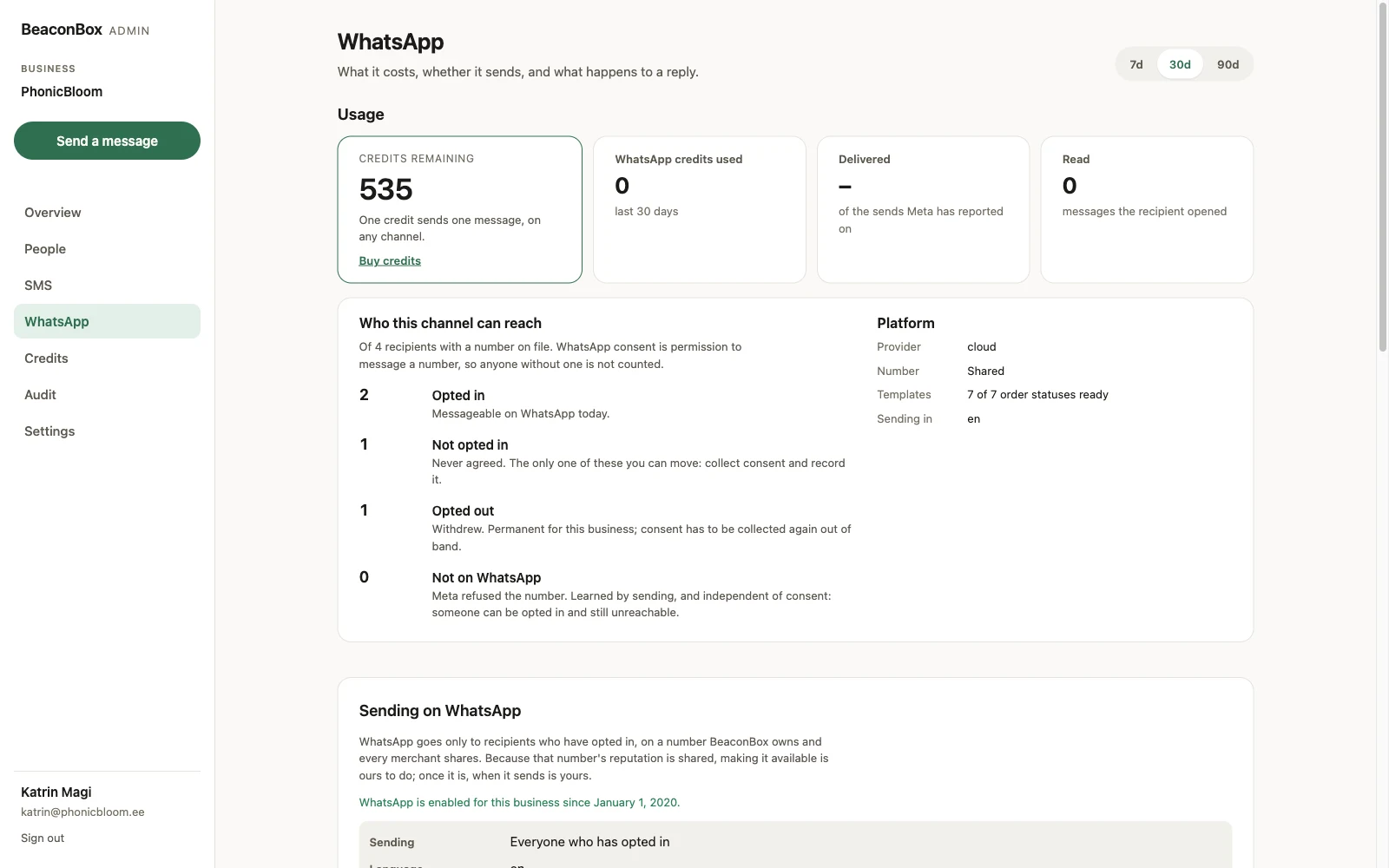
The WhatsApp screen counts your customers who have a number on file into four groups, and they are separate because what you can do about each is different.
| Group | What it means |
|---|---|
| Opted in | Messageable today. |
| Not opted in | Never agreed. The only group you can move, by collecting consent. |
| Opted out | Withdrew. Permanent for your business; collect consent again out of band. |
| Not on WhatsApp | Meta refused the number. Independent of consent. |
That last one is worth understanding. Whether a number is on WhatsApp is not something Meta lets anyone ask, so it is learned by sending. Somebody can be properly opted in and still unreachable, and an unknown number is still attempted.
Falling back to SMS
Because a WhatsApp message can turn out to be undeliverable, your system can ask for a text to follow if it does. That fires when Meta refuses the message, when delivery comes back failed, or when no status arrives within five minutes.
It also fires straight away when WhatsApp cannot carry the update at all: the number is known not to be on WhatsApp, or the update has no order number or status, or the order number or your business name cannot be shown. It does not fire while a status’s template is still in review at Meta, because that is ours to fix and not yours. Either way the customer gets one text at most.
It does not fire for a message that was delivered and not read. A read receipt is not delivery, and somebody who read it on another device would get the same update twice.
The text costs its own credit and shows as its own send.
Replies
A customer can reply on WhatsApp, and some will. BeaconBox is not a helpdesk, so replies are forwarded to a mailbox of your choosing and then deleted on a clock.
You choose how much of the reply the forwarded email carries. Replies are deleted after 90 days whatever you choose.
Language
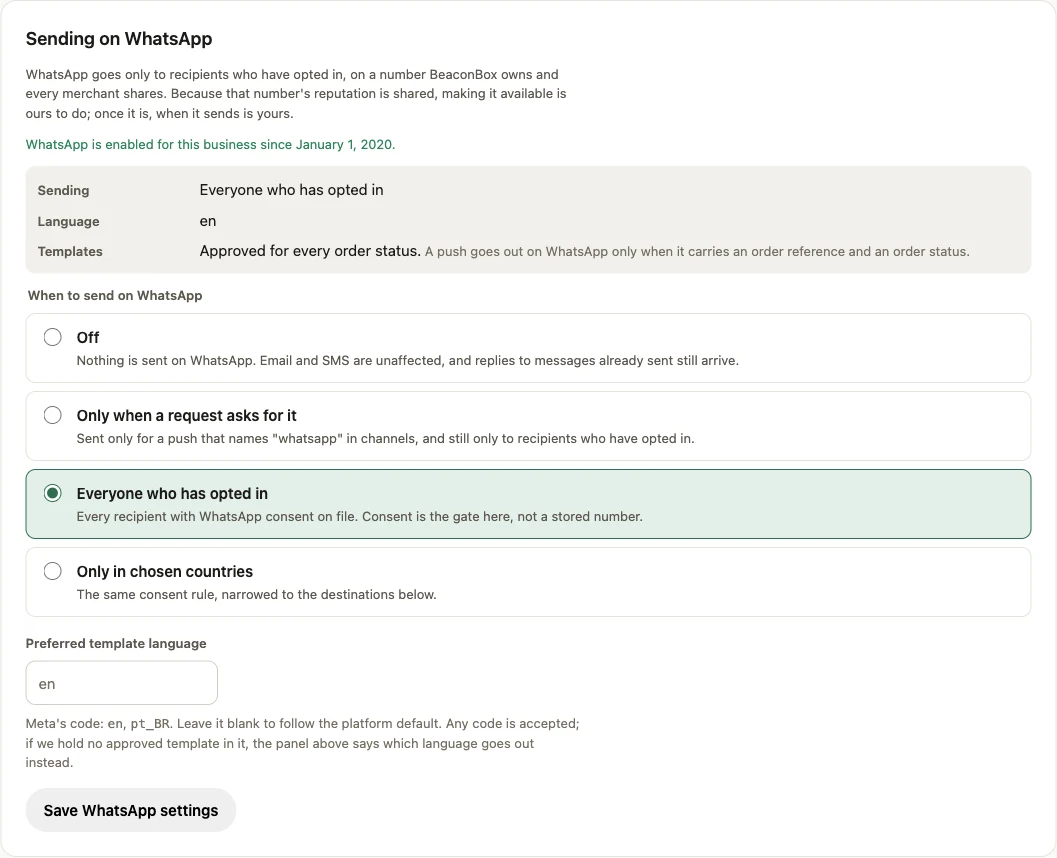
The nudge goes in the template language you prefer, where a template exists in it. If there is no template in your chosen language the message is still sent, in English, and the settings screen says so rather than silently falling back.