
The Overview
Four figures over your chosen window, which you can switch between 7, 30 and 90 days.
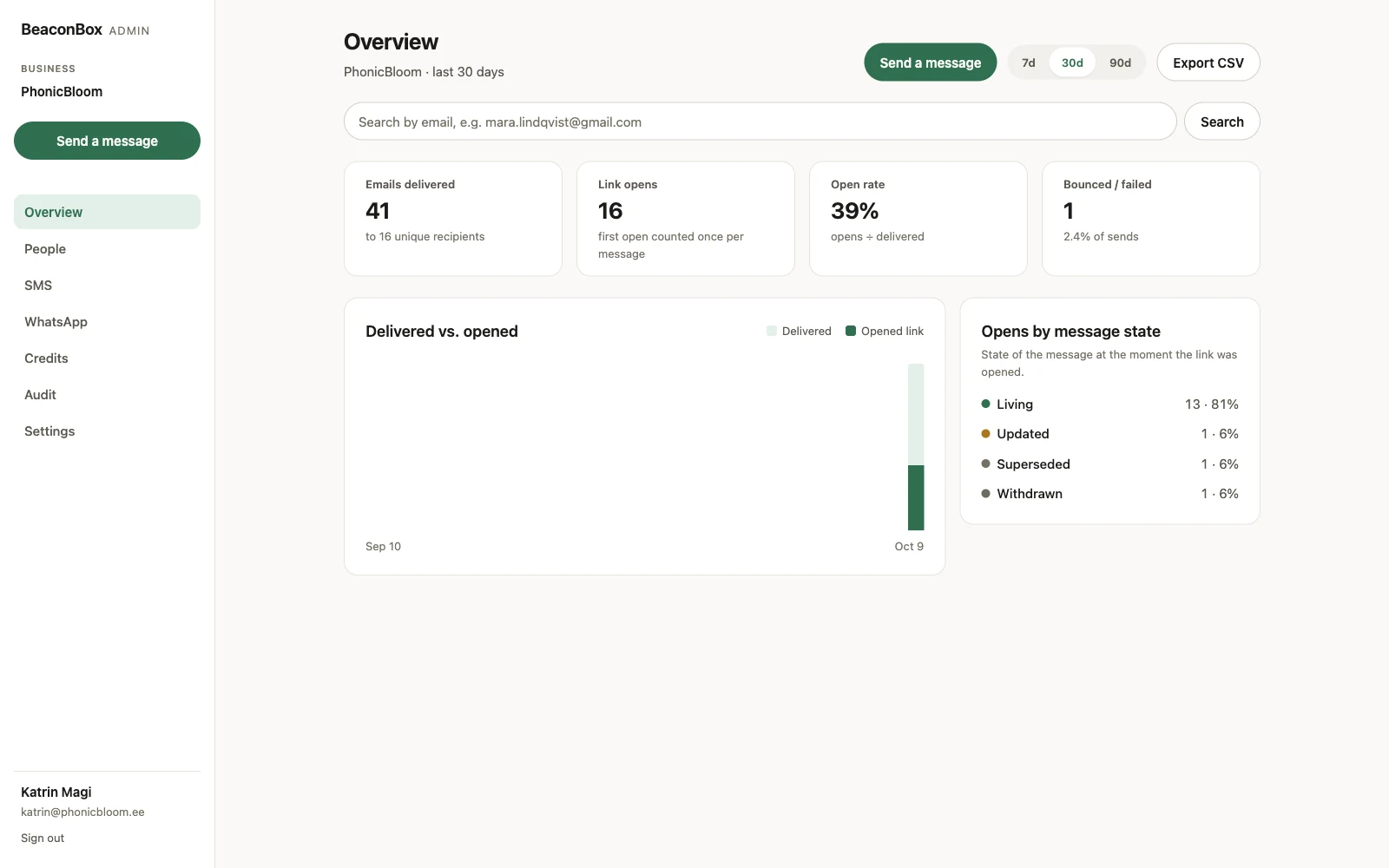
Emails delivered counts nudges a mailbox provider accepted. Something you sent that bounced is not in here, which is the point: it is a count of mail that arrived.
Link opens counts the first open of each update, once. A customer who opens the same update four times is one open, so the figure is people rather than clicks.
Open rate is opens divided by delivered.
Bounced or failed is what did not arrive, as a count and as a share of sends.
Below the figures, the delivered-against-opened chart shows the shape over time, and the state breakdown shows what people were opening.
Export CSV gives you the same data per message. Take it whenever you like, including on the way out.
One customer at a time
People lists everyone you have sent to, with their sends, opens, last activity and whether they have ever claimed their inbox.
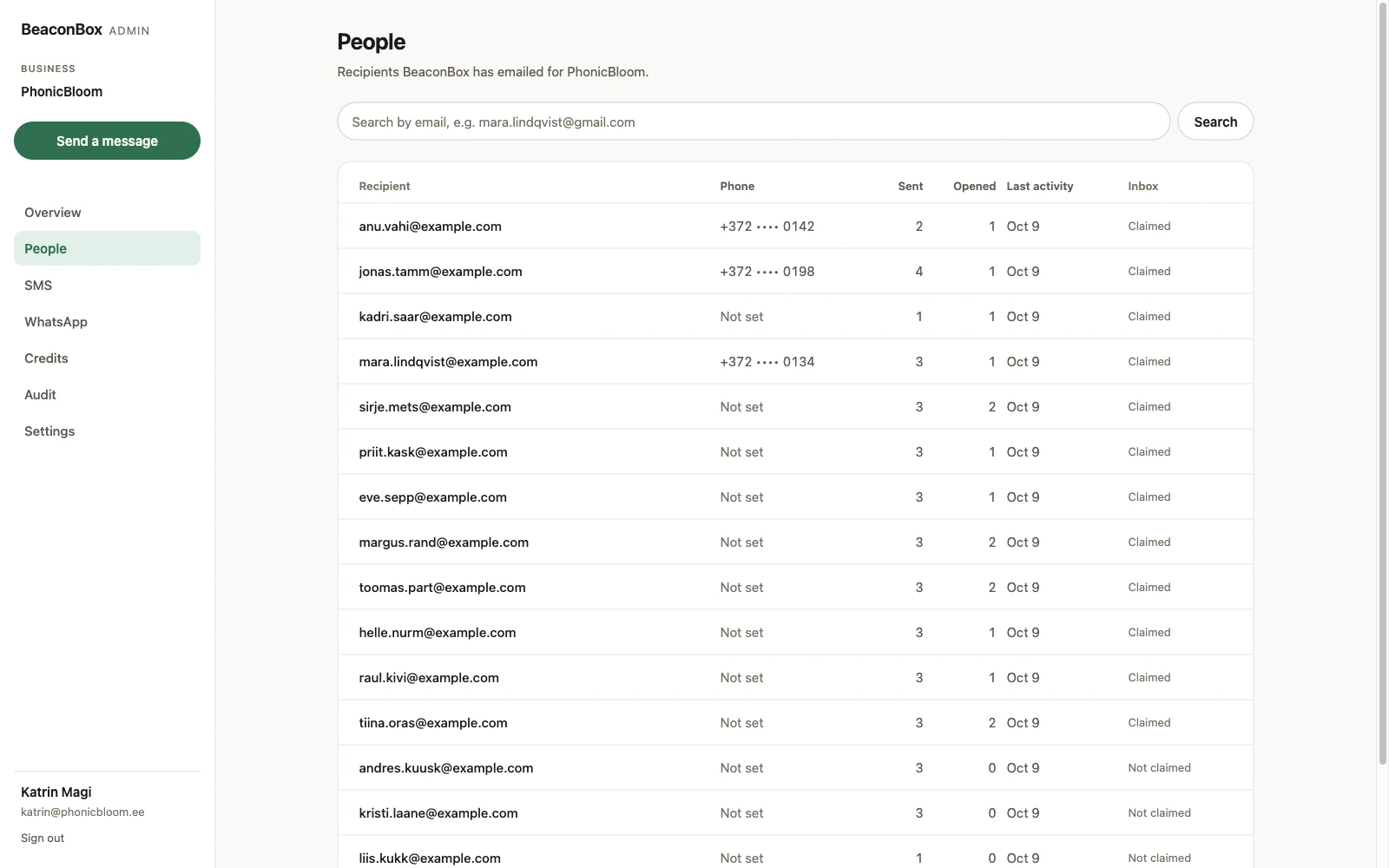
Opening one shows everything that went to them.
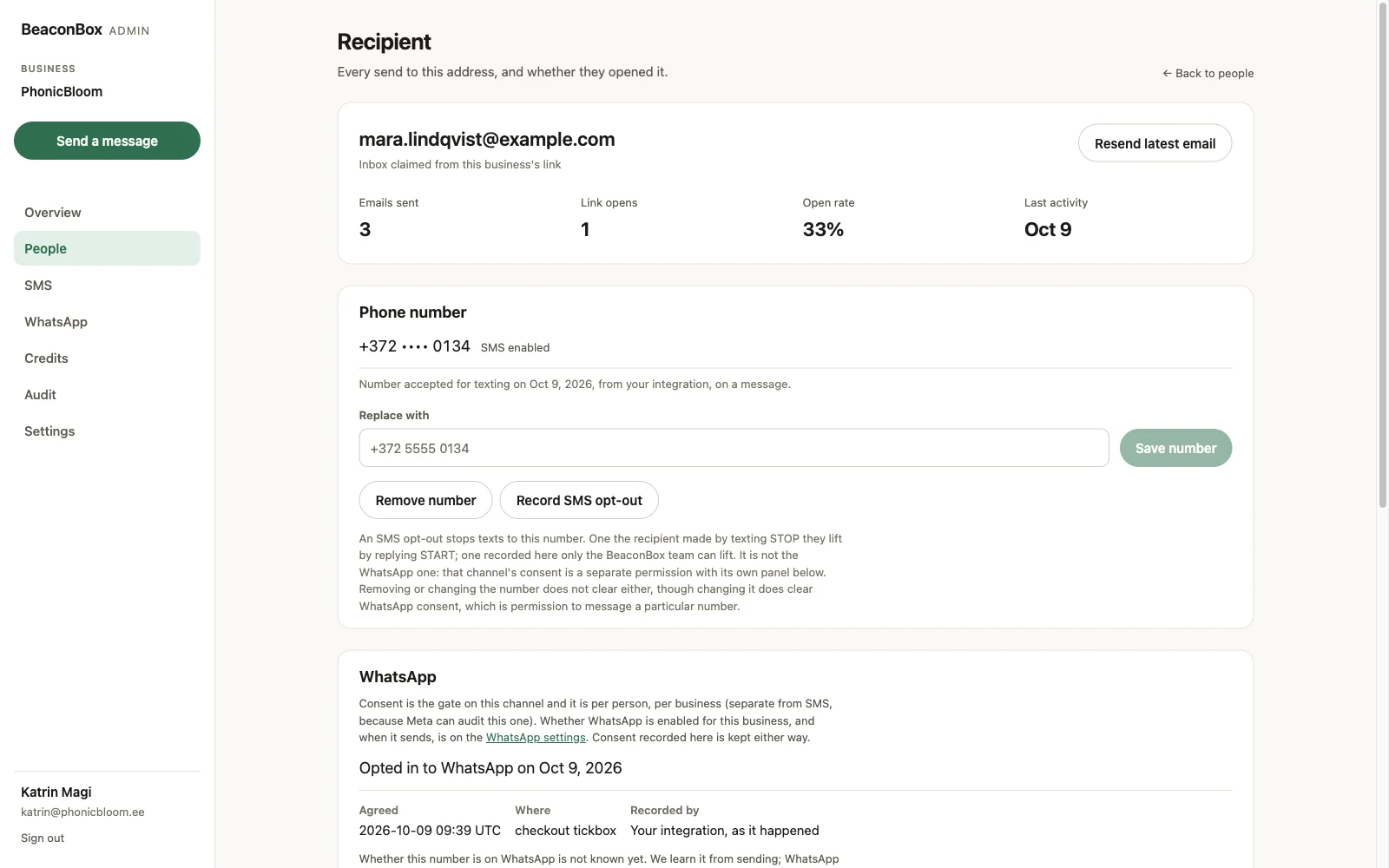
This is the screen for the email that starts “I never got anything from you”. It tells you whether the nudge was delivered, whether they opened it, and whether anything was skipped and why.
From here you can:
- Resend the latest email, for somebody who deleted it. One a minute per recipient, so a stuck script cannot fill somebody’s inbox.
- Replace or remove their phone number.
- Record an SMS opt-out, for somebody who asked you by phone or in person rather than by
texting
STOP. - Re-subscribe them, shown only when they are unsubscribed from your updates. For the forwarded-email case, where the person who unsubscribed is not the person who bought from you.
- Record WhatsApp consent, naming where they agreed and when.
Phone numbers are masked in the dashboard and in the API, showing the country code and last four digits. A leaked key or a borrowed screen must not hand over a phone book.
The audit log
Audit records the actions a person took on your account, by whom and when: numbers changed, SMS opt-outs and WhatsApp consent recorded, credits granted or corrected, sending paused and resumed, and your sending, WhatsApp and contact settings altered.
It is a record of people, not of traffic. Updates your own system pushes through the API are not in here, because a row for each one would be a log of ordinary sending rather than a log of decisions somebody made.
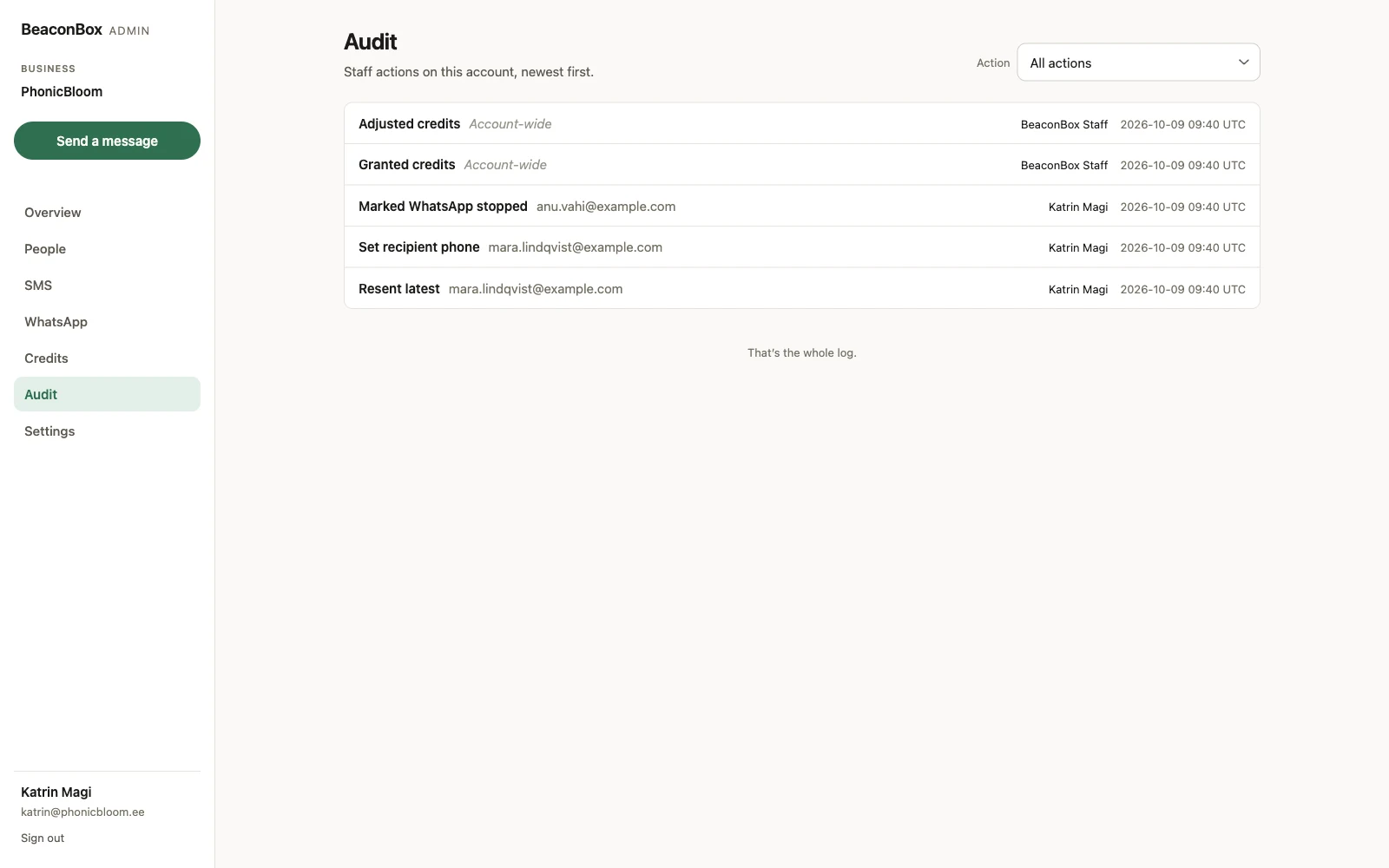
It covers BeaconBox staff actions on your account too, which is the half you cannot otherwise see.