
A text costs one credit and goes to the number you hold for that customer. It says what happened to the order, in BeaconBox’s words, and links to the update: “Your order #A-10294 from PhonicBloom has shipped:” and the link. Your own subject and wording never appear in it.
A text is always one text and one credit, so it uses the fullest wording that fits in one: your shop’s name and the order number, then the order number alone, then just “Your order has shipped”. An update sent without an order status gets the plain “You have a new order update” and the link. Your shop’s name appears only if it is written in plain letters (no accents), so “Café 24” is left out of the text even though WhatsApp shows it. When your account carries an opt-out line (“Reply STOP to…”), that line takes room too: the full wording still fits for most shops, and only a long order number or shop name is dropped.
Ask for it from the SMS screen, with the sender name you want your customers to see: your brand, in letters and digits, up to 11 characters. We check that it is yours to use (a sender that looks like a bank, a courier or a public body is refused, because SMS is how those are impersonated) and switch SMS on for your account. Then choose who gets texts:
| Setting | Who is texted |
|---|---|
| Off | Nobody. Numbers are still stored, and nothing is charged. |
| Everyone | Every customer with a number on file. |
| Some countries | Only numbers in the countries you pick. |
| Only when asked | Only updates your system sends with SMS named in channels. |
For the first two weeks after SMS is switched on, an account can send up to 200 texts a day. Texts over that are skipped with a reason on the message and cost nothing.
Getting a number on file
A number can arrive two ways: your system sends it with an update, or you add it against the customer from their page in People. Once stored it is reused, so it only needs sending once.
Numbers are stored per business. A number you hold is yours, and no other merchant sees it.
Why a text was not sent
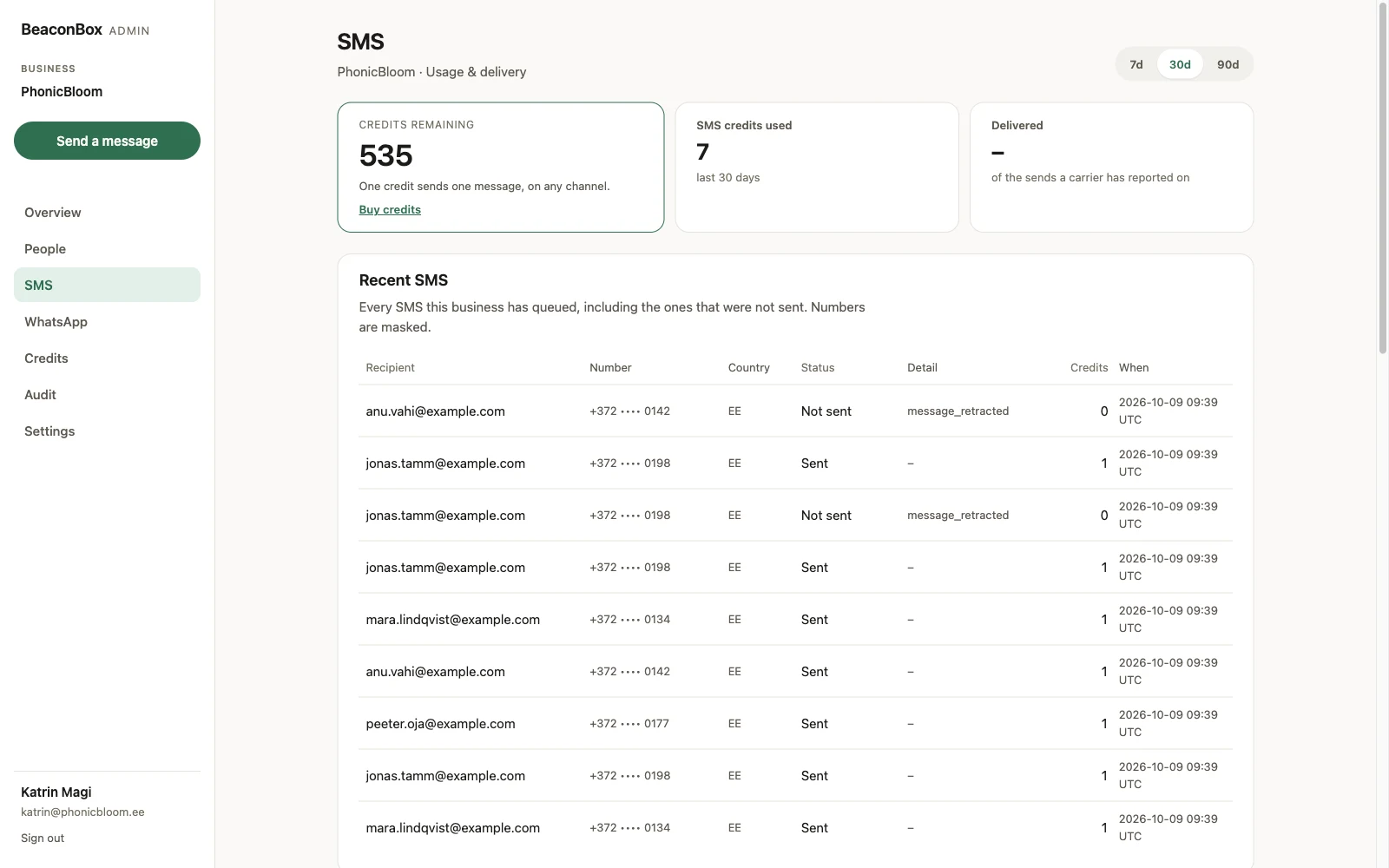
The send log shows every text, including the ones that were refused and why.
The log keeps numbers masked, and a refusal is a row with a reason rather than a missing row.
The common reasons:
| Reason | What to do |
|---|---|
| No phone number | Add one against the customer, or send it with the update. |
| Not enough credit | Top up on the Credits screen. The update and the email still went. |
| SMS not enabled | SMS has not been switched on for your account yet. |
| Stopped | They texted STOP. Holds until they text START. |
| Unsubscribed | They stopped all your updates. |
| Country not allowed | The destination is outside the countries you allow. Texts to the United States and Canada are not available yet, whatever your settings say: carriers there accept business texts only from a registered number. |
| SMS disabled | The channel is off for your account. |
| Daily limit while new | Your account is in its first two weeks of SMS and reached the day’s limit. |
| Number conflict | The number belongs to another of your customers. |
None of these is a failure of the update. In every case it is in the customer’s inbox and the email has gone.
Switching SMS off also calls off any text still waiting: a scheduled update, or one held back until the customer has had a chance to read the email. Those show as SMS disabled in the log rather than going out later.
STOP
A customer who replies STOP to a BeaconBox text is opted out of SMS immediately. It does not
stop their email.
Texts from every BeaconBox merchant arrive from the same place, so a reply cannot tell us which
shop it was meant for. A STOP therefore stops that number for every business on BeaconBox,
including one that stores the number later. Stopping somebody who meant only one shop is visible
and fixable; texting somebody who said stop is neither.
You cannot undo one, from the dashboard or the API, and storing the number against another
customer does not clear it: the stop belongs to the number as well as the person. The customer
can: replying START (or UNSTOP, or YES) opts them back in. If they ask you instead, tell us
and we can record it for them. That is the trade: the word STOP means the same thing every time
somebody types it, which is why it keeps working.
Only texting the people email missed
Your system can hold the text back and send it only if the customer still has not opened the update after a set time. If they read the email first, no text is sent and no credit is spent.
For a shop sending a few thousand updates a month, this is the difference between texting everybody and texting only the people who did not read the email. Whoever does your integration will find it under paid channels.