
Every account starts out sending nudges from a domain shared with other BeaconBox merchants. It works, and plenty of accounts never move off it.
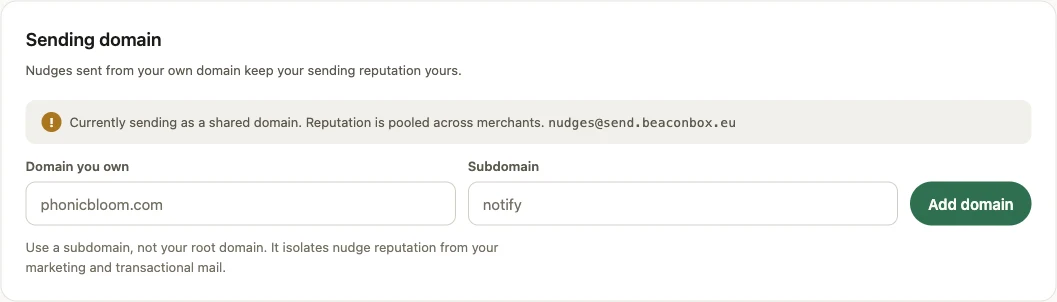
The reason to move is that on a shared domain your reputation is pooled. Another merchant’s bad week affects your delivery, and yours affects theirs. On your own domain, neither is true.
Use a subdomain
Add something like notify.yourshop.com, not yourshop.com itself.
A subdomain keeps nudge reputation apart from your marketing mail and your ordinary business mail. If one of the three has a bad month, it does not drag the others down with it, and you can tell which one caused it.
The steps
- In Settings, enter the domain you own and the subdomain you want to send from.
- BeaconBox registers it and shows you the DNS records to publish. They come from the sending provider, with one that BeaconBox adds itself, so copy what the screen shows rather than working from an example elsewhere.
- Add those records at your DNS provider, exactly as given.
- Come back and verify.
After it verifies
Nudges start going from your domain, and a warm-up throttle begins. Volume is raised over the first days rather than all at once, because a brand new domain going straight to full volume looks exactly like a compromised one to a mailbox provider.
The deliverability panel on the same screen shows your live complaint and bounce rates against the thresholds that matter.
If something goes wrong with it
A verified domain is not demoted for a DNS blip or a provider wobble. If the sending provider does refuse a send because it no longer holds your domain, BeaconBox falls back to the shared domain and keeps sending rather than letting your account go quiet, and tells you.
You can remove a domain at any time, which puts you back on the shared one.