
Automated email from a small shop is routinely filtered, delayed or rejected, whatever the customer does. You send a shipping update, they never see it, and three days later you get an email asking where the order is.
BeaconBox stops the update depending on the inbox. Every customer gets a place they can read their updates from, and the email, text or WhatsApp message you send is only a nudge to go and look.
How it fits together
When your shop pushes an update, two things happen in order:
- The update is written to the customer’s BeaconBox inbox. It is readable immediately.
- A nudge goes out saying what happened to their order, with a link to that inbox.
The nudge never carries the update itself. It names your shop, says in BeaconBox’s own words what happened (“Your order #A-10294 from PhonicBloom has shipped”), and links across. So a nudge that lands in the wrong hands gives almost nothing away, and the link signs the customer in with no password and no account to create.
What your customer sees
An email, text or WhatsApp message saying what happened to their order. Tapping it opens their inbox already signed in. From there they see every update from every business that has messaged them through BeaconBox, newest first.
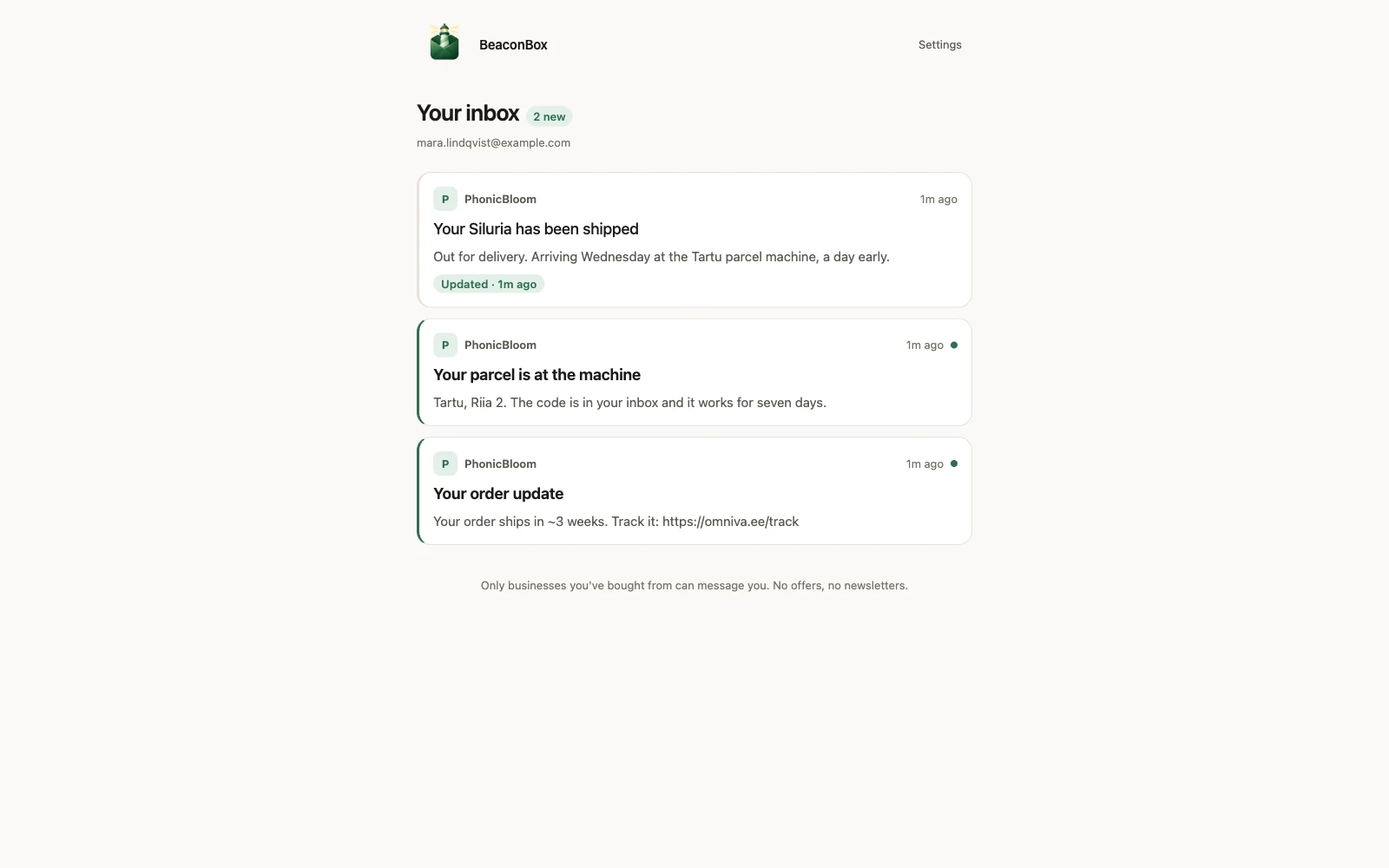
They never make an account, never choose a password, and never install anything.
What you see
A dashboard with what was sent, who opened it, and what each channel cost. You can look up one customer and see everything that went to them, and you can take an update back. You can also write and send a single update yourself, from Send a message.
What it is not
Not a marketing tool. There is no campaign, no segment and no list to upload. You can only message somebody who has bought from you, because the only way a recipient exists is that you sent them something about an order.
Not a helpdesk. Customers cannot reply from their inbox. WhatsApp replies are forwarded to your own mailbox and then deleted on a clock.
Not a place to put sensitive content. A payment page belongs on your own server. Link to it from the update.
The three sentences to take away
- The update is delivered before any nudge is sent. The nudge only shortens the wait.
- The nudge says what happened to the order, in our words. The update itself stays in the inbox.
- This is for urgent, relevant updates. That restraint is why customers keep opening them.
Next, see what your customer actually receives, or go straight to setting your account up.