
Most order updates are not new facts. They are the same fact, revised. “Your order is on its way” becomes “out for delivery” becomes “delivered”. Sending those as three separate messages means three interruptions and, if you are paying for texts, three charges.
BeaconBox lets the second and third rewrite the first.
The four states
Every update your customer holds is in one of four states, and the dashboard colours them consistently everywhere they appear.
| State | What it means |
|---|---|
| Living | The current update. What the customer sees when they open their inbox. |
| Updated | Living, and rewritten at least once since it was first sent. |
| Superseded | A later update replaced this one. Greyed out, still readable. |
| Withdrawn | You took it back. Marked as withdrawn, not deleted. |
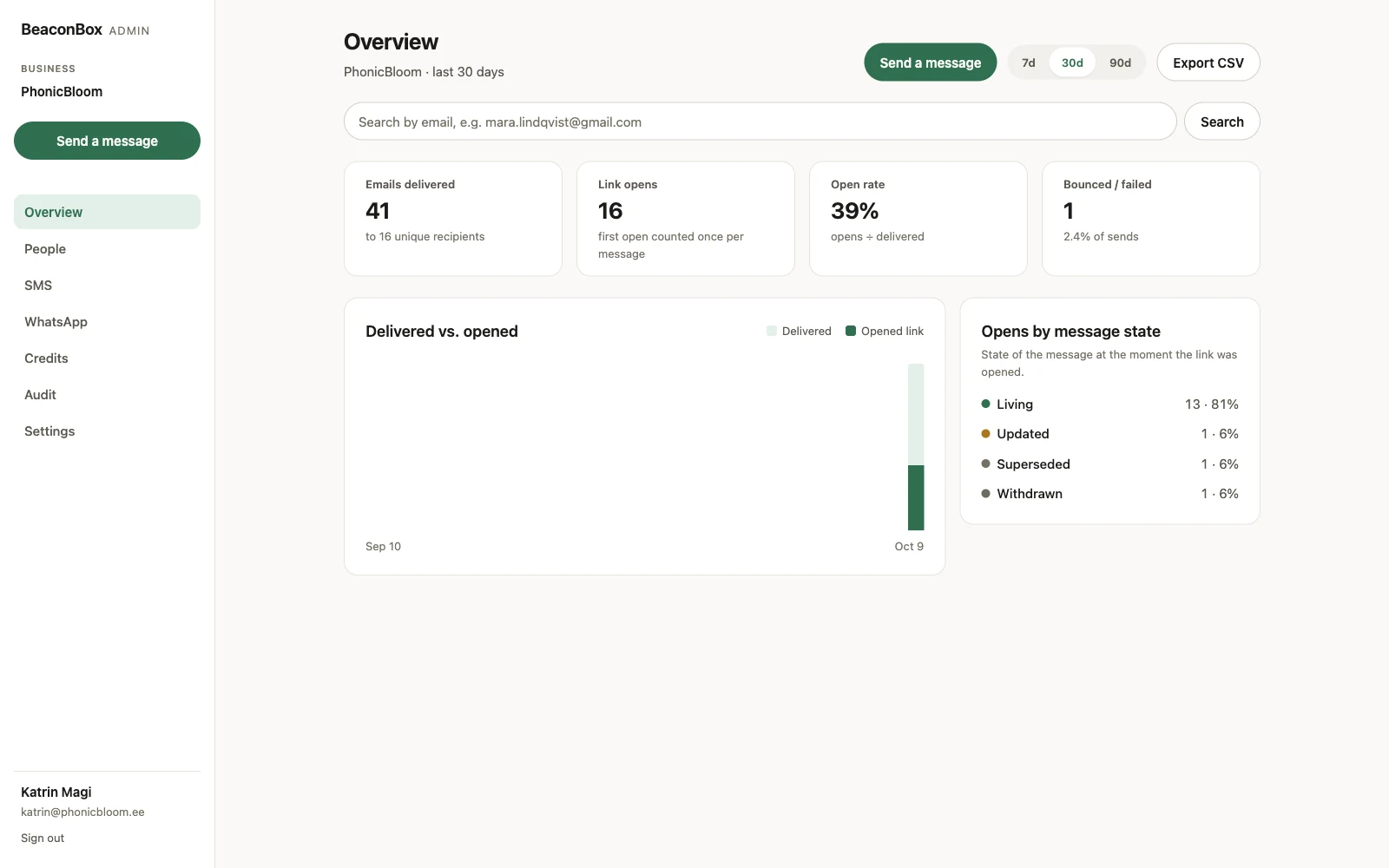
That breakdown answers a question the raw open rate cannot: whether people are opening your revisions or only the first send.
Rewriting in place
An update that can be rewritten is matched on its subject. Send a second update with the same subject to the same customer and it replaces the first instead of joining it.
By default the rewrite is quiet. The inbox is up to date, and the customer is not interrupted again for a detail that changed. If the change is one they need to know about now, your system can ask for a nudge on the rewrite too.
Only one rewritable update can be live for a given customer and subject at a time. Superseding or withdrawing one frees that slot.
Taking an update back
If you send the wrong thing, you can withdraw it. The update is marked withdrawn in the customer’s inbox, any nudge still queued is cancelled, and no credit is spent on a text that had not gone yet.
What it cannot do is recall a nudge that already went. If the email is in their inbox or the text is on their phone, it stays there, and the dashboard tells you that is what happened, instead of implying the withdrawal was complete.
Scheduling and holding back
Two more controls are worth knowing about, both set by your system when it sends:
Send later. The update is readable the moment it is pushed; only the nudge waits. Useful for anything generated at three in the morning that should not wake anybody.
Only if unread. The text or WhatsApp message is held back, and sent only if the customer still has not opened the update after a set time. If they read the email first, nothing is sent and nothing is charged. That inverts what a paid channel usually costs you: instead of paying to interrupt everyone, you pay only for the people email did not reach.
Both are described in full under paid channels for whoever is doing the wiring.