
Email is covered by your subscription. SMS and WhatsApp are prepaid, in credits.
One credit is one message, on whichever channel sends it, and one balance covers both. If a customer gets a WhatsApp message that proves undeliverable and a text follows it, that is two messages and two credits.
What they cost
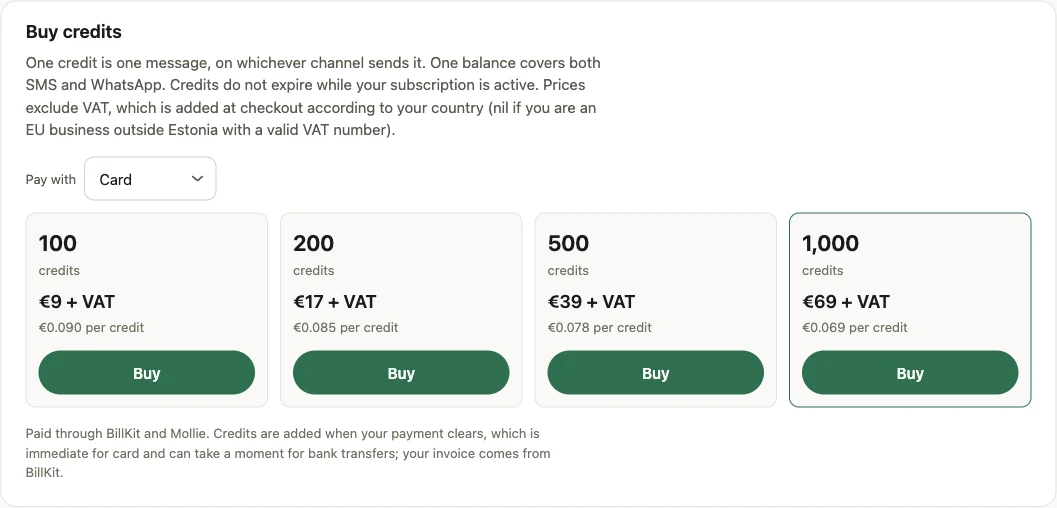
| Pack | Price | Per credit |
|---|---|---|
| 100 credits | €9 | €0.090 |
| 200 credits | €17 | €0.085 |
| 500 credits | €39 | €0.078 |
| 1,000 credits | €69 | €0.069 |
Prices exclude VAT, which is added when you pay, at the rate for the country your business is registered in. An EU business outside Estonia with a valid VAT number pays no VAT and accounts for it itself (reverse charge). A business outside the EU pays no VAT. The payment form shows the total before you pay, and Payments shows what you paid with the VAT in it.
Before your first purchase the Credits screen asks which country your business is registered in, because the VAT is worked out from it. You set it once. If it is wrong, or your VAT number changes, contact BeaconBox support and we will correct it.
Credits do not expire while your subscription is active.
Buying
Pick a pack on the Credits screen and pay for it there. The SMS and WhatsApp screens show the same balance, with a Buy credits link that takes you there.
Choosing a pack opens the payment form in its place. It shows the payment methods available to you, such as card, iDEAL or Bancontact, and the total including VAT. A card usually pays without leaving the page. A card that asks for an extra security check, and bank payments such as iDEAL, take you to your card issuer or your bank and bring you back to the Credits screen. Payment goes through BillKit and Mollie, and your invoice comes from BillKit rather than from BeaconBox.
If a payment is declined, nothing is charged and you can try again, with the same method or another. The form is good for 30 minutes; if it runs out, start again from the pack. Choose another pack closes the form without paying.
Credits are added when the payment clears. For a card that is usually within seconds. For a bank payment it can take a moment, and the purchase sits as pending in the meantime rather than disappearing.
Under Payments you will find every pack this account has paid for, including attempts that did not complete. A form you closed or let run out shows as awaiting payment for a while, then as not completed. Each has a reference, which is the thing to quote if you need to ask about one.
Where the credits went
The ledger on the same screen records every movement into and out of your balance, with a running total on each row.
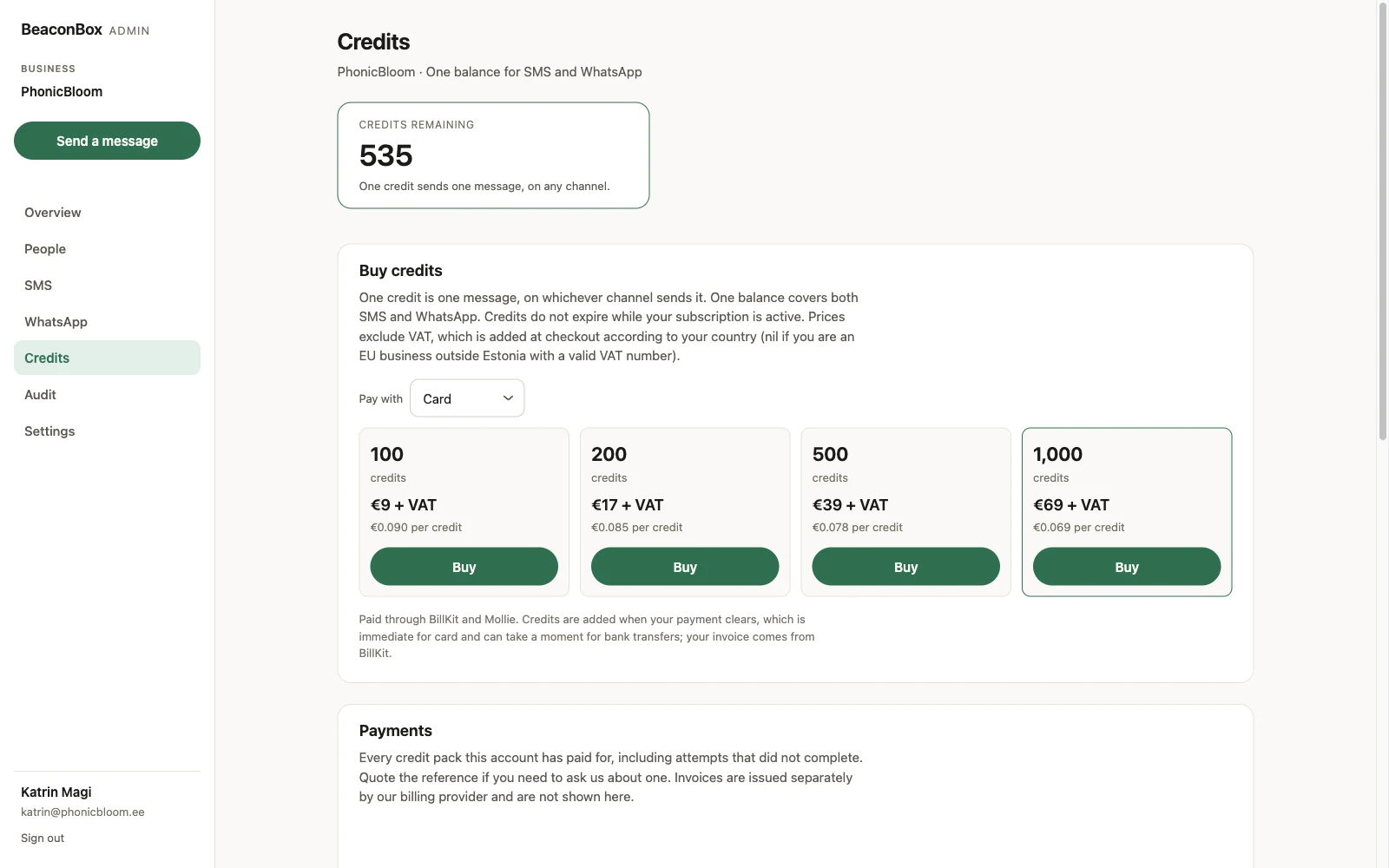
Purchases, sends, refunds for a message a provider rejected after it was charged, and any correction BeaconBox staff make are all rows here. Nothing moves your balance without one.
Running out
A send with no credit behind it is skipped, not failed. The update is in the customer’s inbox and the email has gone; only the paid message did not.
You are warned before this happens. The balance shows a low-balance state on the Credits, SMS and WhatsApp screens, and your system can subscribe to a notification for it so a person does not have to be looking.
Once you top up, your system can resend the paid message for a specific update rather than pushing the whole update again.